

Select recipients from your Google contacts list, create distribution lists by assigning a label to a contact, or enter any phone number on the fly.
Gmail SMS Add-On

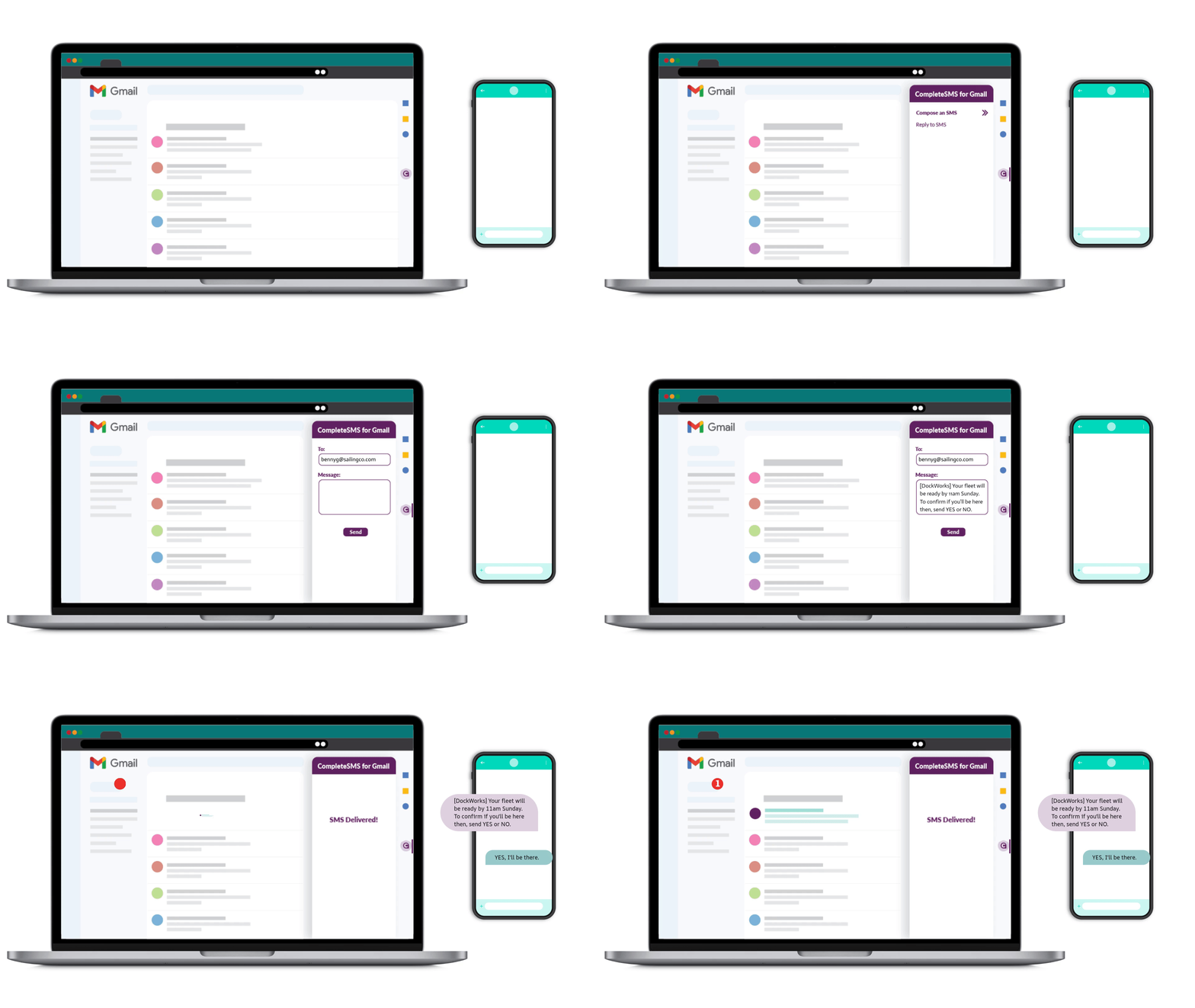
Send Texts From Gmail
- Compose text messages with the CompleteSMS for Gmail add-on as efficiently as emails.
- Receive text replies straight to your Gmail inbox for easy organization
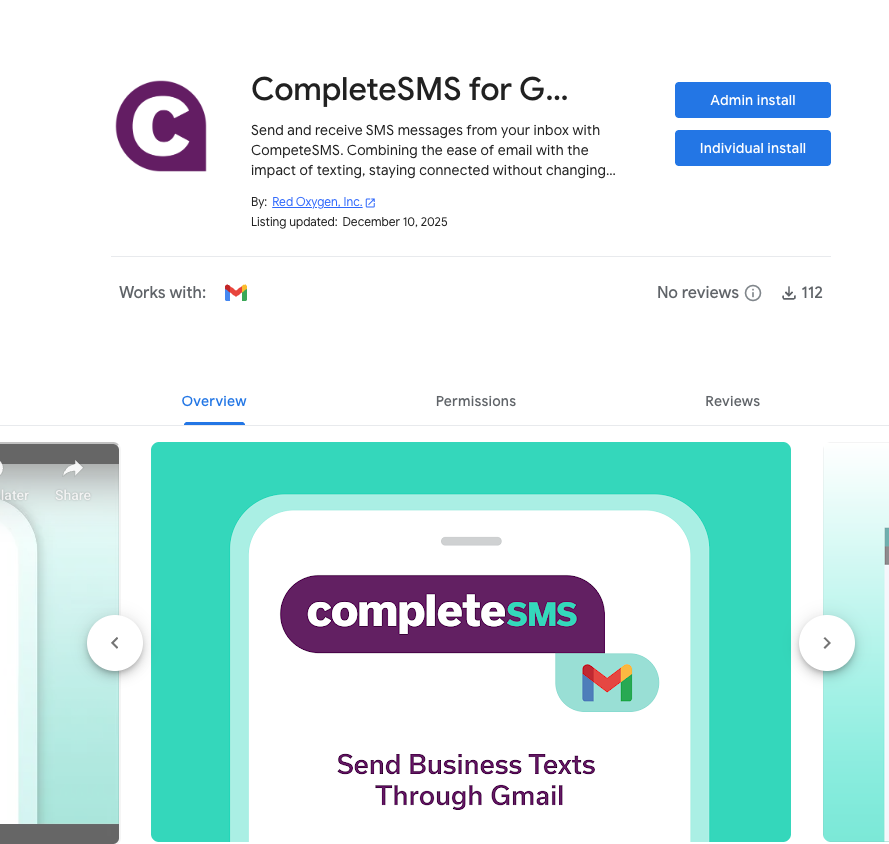
- Download the free CompleteSMS for Gmail Google Workplace Marketplace add-on
- The add-on works with PC, Mac and through the Gmail app on your smartphone

Enterprise Email-to-SMS Gateway for Gmail
Email inboxes are crowded, and important messages can get buried under newsletters, notifications and internal threads.
Free email-to-SMS gateways may seem like an easy workaround, but they introduce new problems. Messages can be delayed, blocked or delivered inconsistently. Replies are unreliable or unavailable. There is little control over sender identity, opt-outs or message history.
The CompleteSMS Gmail add-on solves these challenges by embedding SMS directly into the Gmail account. Your team can send texts from Gmail using a dedicated business number, receive replies and carry on real conversations without switching tools.
Instead of forwarding emails to a carrier-based email-to-SMS gateway, the Gmail add-on uses a direct connection designed for business messaging. Messages are routed through multiple delivery partners to help ensure reliable delivery, even across regions.
Special Features of the CompleteSMS for Gmail Add-on






Engage With Your Clients By Sending SMS Through Gmail
The CompleteSMS for Gmail add-on solution will enable you to send SMS (short message service) texts to your employees, customers and clients to remind them of upcoming appointments, alert them of emergency situations or late-payment notifications, or anything else you may need to relay without leaving your Gmail interface.
Email still has its place in the business communications realm, so we know you still spend some time in your email inbox. While some messages can afford to sit in an email inbox a little longer, some need to be read immediately, so sending that SMS without leaving your Gmail interface is a perfect way to save you time.
Pop open the side panel add-on, send the message and receive any replies right there in your Gmail inbox, while answering all of your old-school emails. It’s a win-win, really.
Common Use Cases for the Gmail Add-on
The CompleteSMS Gmail add-on supports a wide range of business communication needs.


Features of the CompleteSMS Gmail Add-on
The Gmail add-on is designed for daily business use, not occasional texting.
Key features include:
- Send texts from Gmail without switching applications
- Receive SMS replies directly in your Gmail inbox
- Dedicated SMS numbers for each user or inbox
- Message threading for full conversation history
- Opt-out handling when recipients reply STOP
- Ability to choose local area codes for your numbers
- Call forwarding if recipients choose to call back
- Message personalization to reduce blocking and improve delivery
Messages are sent using fast HTTP delivery, not slower email-based methods, so your texts move quickly from inbox to phone.

Install the Gmail Add-on
To install the CompleteSMS for Gmail add-on:
- Log into your Google account
- Visit the G Suite Marketplace
- Search for CompleteSMS for Gmail in the marketplace
- Click the install button.
(There are a couple of different ways to access the add-ons. Check out our guide for step-by-step instructions.)
The next time you open your Gmail, a CompleteSMS icon will appear on the right-hand menu of your Gmail interface. If you don’t see a right-hand side menu, look for an arrow on the right that gives you an option to show the side panel. Then log in to your CompleteSMS account or sign up for a free trial.
Install and User Guide
Stay in the Gmail Interface
Stay in your favorite email interface and still send and receive SMS

Unlimited Contacts
Any contacts in your Gmail account are up for grabs.

SMS Replies in Your Inbox
Replies will be sent right to your Gmail inbox
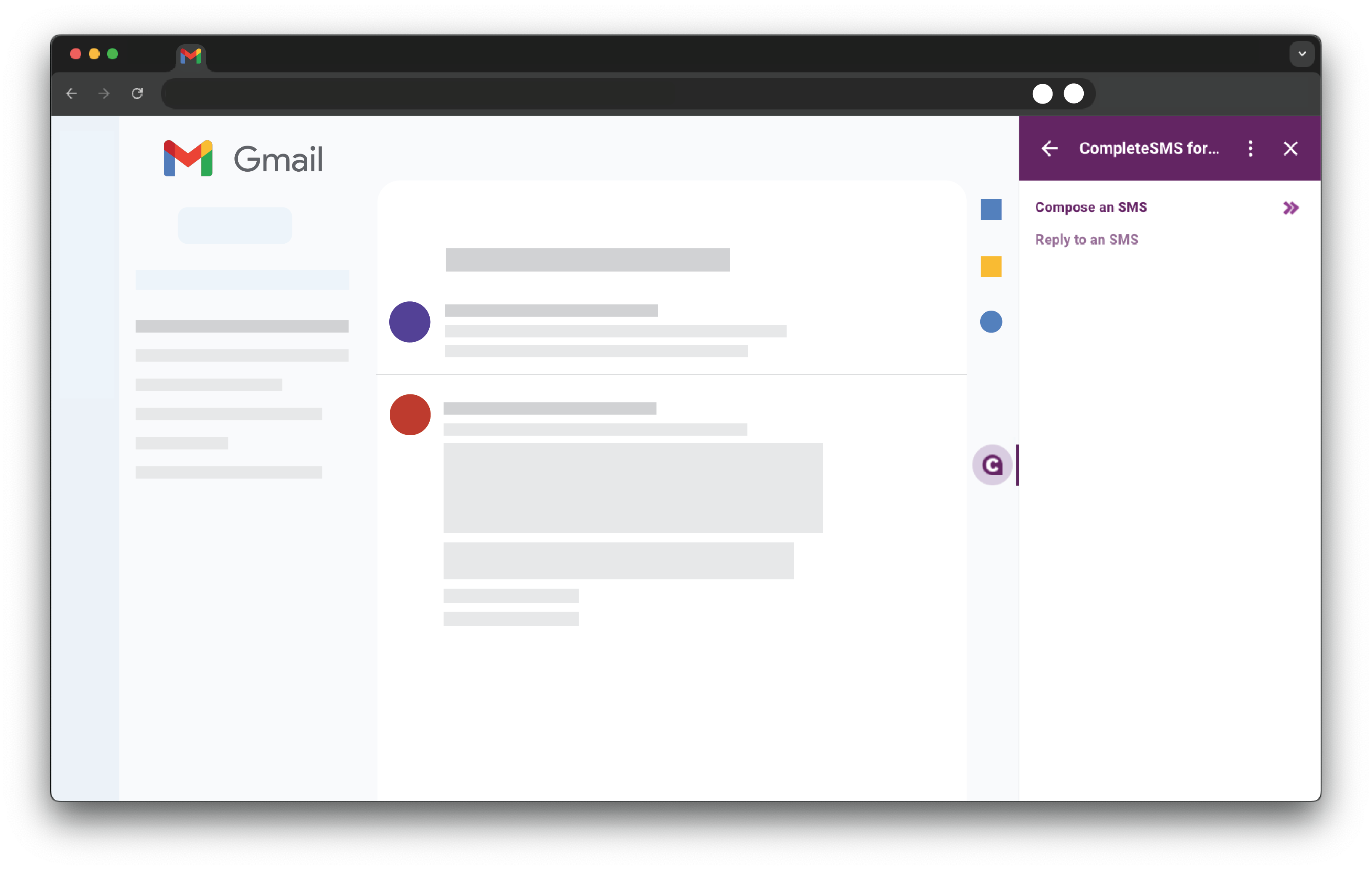
Just a Few Steps to Send SMS Through Gmail
- Click the CompleteSMS icon in your Quick Access Toolbar on the right-hand side after you’ve installed the add-on.
- Select a contact or enter a phone number.
- Type up your message or select from one of your saved templates.
- Add a saved signature, if you’d like.
- Send or schedule to send it later.
- Done. (as they wipe their hands together with pride)
Integration Depth and Reliability
The CompleteSMS Gmail add-on integrates with Gmail while connecting to a robust messaging backend.
Behind the scenes, messages are routed through multiple SMS providers depending on the destination. If one route experiences issues, traffic can be redirected automatically. This built-in redundancy is especially valuable for businesses sending messages across the U.S., Australia and other regions.
Because the service works within Gmail, there is no need to train staff on new platforms or manage separate logins. You work where you already work.
CompleteSMS vs. Traditional Email-to-SMS Gateways
Many businesses start with free or carrier-based email-to-SMS services. These tools were not designed for ongoing business communication and often fall short once messaging becomes part of daily operations.
| Feature | CompleteSMS Gmail Add-On | Free Email-to-SMS Gateway |
|---|---|---|
| Send texts from Gmail | Yes, through a dedicated add-on | Limited or inconsistent |
| Two-way conversations | Yes, replies return to Gmail | Often one-way or unreliable |
| Dedicated business numbers | Yes | No |
| Opt-out handling | Automatic STOP compliance | Manual or unsupported |
| Message threading | Yes | No |
| Delivery routing | Multi-provider redundancy | Single carrier dependency |
| Business ownership of data | Yes | No |
| Support and accountability | Yes | No |


Talk to an Expert
Our SMS expert, John, will give you a full demo of our software and answer any questions you have.
Schedule Your Demo

Frequently Asked Questions
Consider the answers to these questions about the CompleteSMS Gmail add-on.
Is This Just an Email-to-Text Service?
No. You are not sending a traditional email and hoping it reaches a phone. The Gmail add-on provides a dedicated SMS interface inside Gmail, connected to a business-grade messaging platform.
Can Recipients Reply to Messages?
Yes. Replies come directly to the sender’s Gmail inbox, allowing full two-way conversations.
Do Messages Come From Personal Phone Numbers?
No. Messages are sent from dedicated business SMS numbers assigned to your account.
Can We Keep Message History if an Employee Leaves?
Yes. Message data belongs to the business, not an individual’s personal phone.
Is This Suitable for Bulk Messaging?
Yes. You can send one message to many recipients while keeping replies one-to-one, which helps avoid carrier blocking.