Two-Way Messaging


Turn Text Messages Into Real Conversations
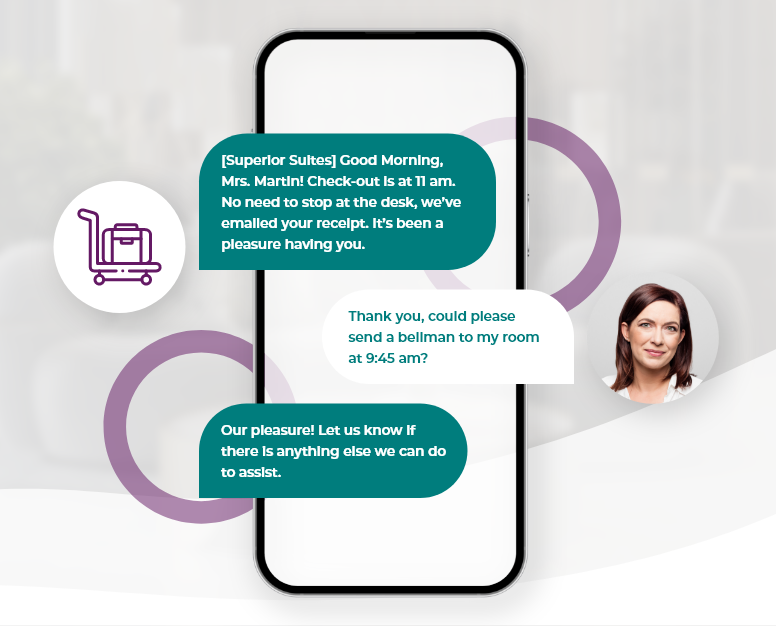
A customer replies to your appointment reminder with a question, but the message goes nowhere because your system only sends one-way alerts, leaving people waiting for answers they’ll never receive. CompleteSMS two-way messaging transforms dead ends into real conversations that build relationships and enhance communication.
Two-Way SMS Conversations Drive Results for Your Business
Businesses use our two-way SMS platform to turn text exchanges into productive and valuable conversations:


Understanding Our Conversational SMS Platform for Business Communication
A conversational SMS platform allows customers to reply to your messages while routing replies into a central team email inbox, where conversation history stays threaded. Every team member who accesses a conversation sees the full context, preventing customers from having to repeat themselves and enabling faster responses that improve satisfaction.
Two-way messaging works with long codes, including local numbers, and toll-free numbers. If you use a short code or an alphanumeric sender ID, you will not see replies.
Keep It Business. Keep It Human
Professional communication doesn’t have to feel robotic. Two-way texting gives customers a direct line to your team, making it easy to answer questions, work through issues, and keep things moving. It’s business communication with a human side.
Essential Capabilities That Power Effective Two-Way SMS Communication
Our two-way business SMS software delivers conversation management tools that growing teams need:
- Unified conversation view: Customer conversations appear as threads in their inbox, where you can track status and locate conversations using filters.
- Template library and personalization: Saved reply templates handle common questions but you can also respond to the tougher questions directly, where the customer knows they are being heard and valued. Even if the initial messages were sent via bulk text, you can still respond one-to-one without everyone else in the send knowing.
- After-hours coverage and intelligent routing: Auto-reply messages handle incoming texts during off-hours, while triggered responses detect keywords that could escalate messages to supervisors.
 Manage Customer Conversations Across Your Entire Team Workflow
 Manage Customer Conversations Across Your Entire Team Workflow
Replies appear in your inbox, accessible from any web browser. The Gmail add-on lets your team respond within Gmail, while the Outlook add-in serves Microsoft users, or you can always respond with our email API that’s not dependent on email client. These two-way messages can easily turn into a phone call with call forwarding or run directly through your CRM, whatever works for your team.

Transform Your Business Communication from Broadcasts to Real Relationships
Moving to two-way conversations transforms your business from broadcasting alerts to building relationships that drive loyalty through responsive communication that customers expect.
Schedule a Demo