
Broadcast SMS


Never Let Critical Communications Get Missed Again
Critical emails disappear into crowded inboxes, buried between newsletters and promotional clutter. CompleteSMS delivers broadcast SMS, ensuring your critical communications reach the right people immediately. Send urgent system alerts or time-sensitive updates utilizing our easy to integrate API, directly from Outlook, Gmail or our web portal without navigating complex integrations.
The Most Versatile Broadcast Text Message Service Available
CompleteSMS integrates with the tools you already use every day, eliminating training time and adoption friction across your organization:
- Email-to-SMS integration: Outlook, Office 365 and Gmail users can launch company-wide alerts or department notifications without leaving their inbox.
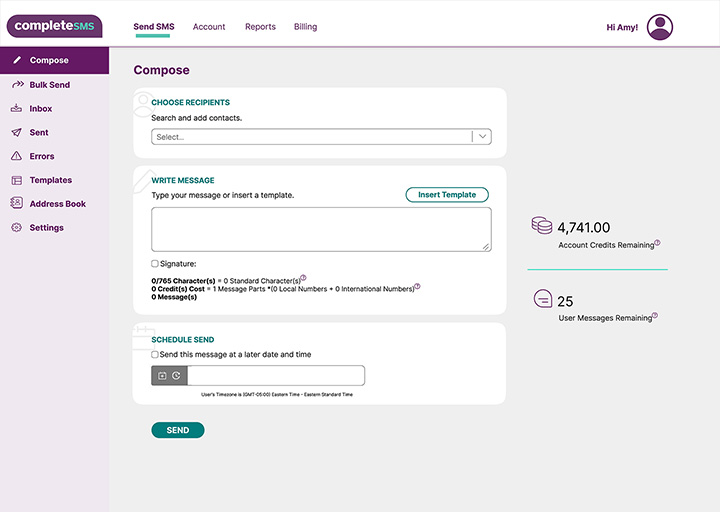
- Web portal access: Our browser-based dashboard gives you complete control over message scheduling, delivery tracking and response monitoring from any device with internet access. Manage campaigns, review analytics and coordinate team access from a single interface.
- Spreadsheet import: Upload contact lists directly from files for quick bulk messaging. Our integration supports simple .csv spreadsheet uploads, so there’s no need for complicated formatting
- API integration: Embed SMS broadcast capabilities directly into existing applications through our robust API.
Standard HTTP/S protocols and straightforward documentation enable seamless integration without weeks of technical complexity.
Enterprise-Grade SMS Broadcast Software
CompleteSMS operates on redundant routes engineered for dependable, high-speed text broadcast service delivery. Our infrastructure prioritizes reliability above all else, ensuring every alert, notification and update reaches its destination exactly as intended. The platform is designed to scale instantly from single notifications to thousands of simultaneous recipients without compromising speed or creating bottlenecks during peak demand. Carrier-compliant infrastructure delivers consistent, reliable performance worldwide, including Australia and all major markets.

Solve Operational Challenges With
 Broadcast Texting Service

Broadcast SMS solves communication challenges by delivering immediate visibility for time-sensitive situations across every department.
Emergency Response and Safety
Campus lockdown alerts, severe weather notifications and facility evacuations reach students, staff and families instantly. When safety communications need immediate attention, text messages cut through the noise.
Critical Infrastructure Alerts
Server outages, system failures and network disruptions notify technical teams the moment issues arise. IT staff receive alerts wherever they are, enabling faster responses and minimizing downtime.
Time-Sensitive Scheduling
Last-minute shift openings, schedule changes and urgent staffing needs reach available employees immediately. Open enrollment deadlines and benefits reminders ensure HR communications don’t get lost in email clutter.
Operational Coordination
Delivery updates, appointment confirmations and real-time status changes keep customers informed throughout service interactions. Replies can be monitored in your dashboard or routed to the sender’s designated email address, supporting secure, traceable conversations.

Security, Compliance and Support You Can Trust
CompleteSMS maintains 10DLC compliance for U.S. operations and adheres to regulatory requirements across all supported markets, ensuring carriers accept your broadcasts without filtering or blocking. Our secure servers protect sensitive contact data and message content, meeting the security standards that regulated industries demand for confidential communications.
Live support teams in the U.S. and Australia—allowing for around-the-clock support—assist when technical questions arise or urgent broadcasts need immediate attention. No chatbots route you through automated menus when seconds matter. Our team handles setup guidance, troubleshooting and ongoing optimization to keep your broadcast texting service running smoothly.














Talk to an Expert
Our SMS expert, John, will give you a full demo of our software and answer any questions you have.
Schedule Your Demo