









Related Blog Posts
The Advantages of the CompleteSMS Software Solutions for Education

Enterprise SMS Compliance: TCPA, 10DLC and Regulatory Requirements for Large Organizations
One wrong assumption can stand between a smooth enterprise short message service (SMS) program and a large noncompliance penalty. Telephone Consumer Protection Act (TCPA) class action filings jumped from 915…

CompleteSMS introduces MMS and Keywords
CompleteSMS Adds MMS Messaging, Expanding How Businesses Connect by Text LONG BEACH, CA, UNITED STATES, November 3, 2026 /EINPresswire.com/ -- CompleteSMS, a leading business messaging platform, today announced the addition…

A Guide to New Zealand Business SMS
Sending SMS in New Zealand: Rules and Short Codes Explained Planning to send business text messages in New Zealand? Before you start sending appointment reminders, customer updates or promotional offers,…

MMS Sending Limits
MMS Sending Limits Explained: File Sizes, Formats, and Costs MMS gives your business texts a little more to work with. Photos, graphics, and other supported media can help you share…

How to Send Bulk SMS at Enterprise Scale
Text messages carry a 98% open rate, so it's no surprise businesses are using SMS to reach audiences. But how do you reliably send high-volume messages at scale? Enterprise SMS…

Business Guide to Multimedia Messaging Service (MMS)
Every business faces the same challenge of cutting through the noise to capture attention in an overcrowded digital space. Traditional text messages get the job done, but they lack the…

Complete Guide to SMS Compliance in Australia
Like many other countries, Australia imposes clear, stringent regulations to prevent and manage spam in short message service (SMS) communications. We can all agree that spam messages are a nuisance.…

Retail SMS Appointment Reminders: How to Reduce No-Shows and Increase Customer Lifetime Value
Empty appointment slots don't just mess up your schedule—they cost your business money. When a customer books a styling session, custom fitting or service appointment and doesn't show up, you…

How to Choose the Best Enterprise Text Messaging Solution
Choosing an enterprise texting solution is an organizational infrastructure decision, not a simple software purchase. Over 75% of people are more inclined to open an SMS message than an email, which is…

How Can Courts Use Text Messaging to Reduce Missed Court Dates?
According to the National Center for State Courts, 1 in 6 felony cases involve a missed court date. In fact, nonappearance rates in misdemeanor cases can reach 52% in some jurisdictions. Every…
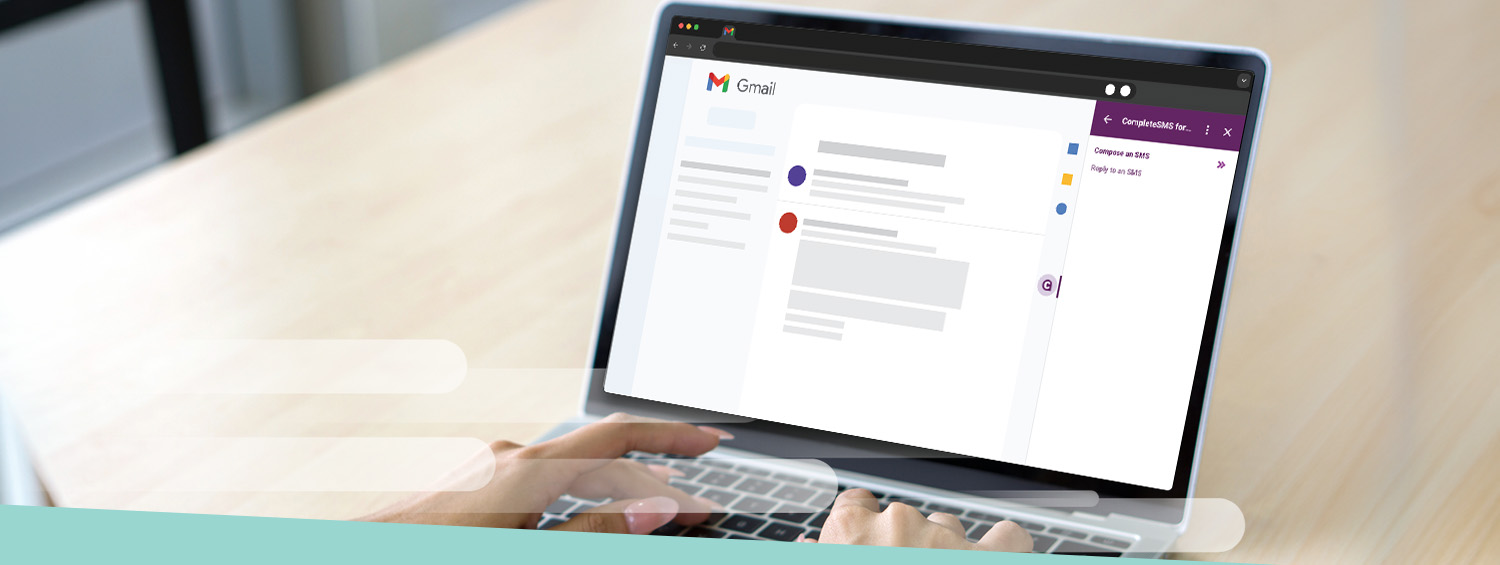
How to Send SMS From Gmail
Email is reliable. But when you need someone to actually read your message—and read it fast—a text wins every time. SMS messages are opened 98% of the time because texts…

How to Send SMS From Outlook
You spend your workday in Outlook. Email handles most communication just fine—until you need an answer now. That client confirmation for tomorrow's meeting? The shift change notice for your team?…

Speaking and Exhibiting at NACCHO360
CompleteSMS CEO Speaks at NACCHO360—National Association of County and City Health Officials Conference LONG BEACH (July 10, 2026) – CompleteSMS, a leading short message service (SMS) solutions provider, announces its…

A Real Estate Agent’s Guide to Using SMS
The real estate industry is highly competitive, and agents rely on constant contact to sell more properties. SMS messages are an excellent tool for real estate agents to harness more efficient and…

Your Guide to HIPAA-Compliant Texting and SMS
More healthcare providers are using text messaging, or short message service (SMS) and other technologies to communicate with patients and staff. Text messaging is a quick, efficient way for providers to directly remind people of…

Your Complete Guide to SMS Compliance in the U.S.
SMS is a powerful way to reach a responsive audience. In the wrong hands, it can also be invasive and annoying. We've all received unwanted texts that have us typing…

Quick Guide to SMS Marketing for Call Centers
One of the biggest challenges call centers face is figuring out how to boost profits and keep overheads in check without letting customer service slip through the cracks. In most…

SMS Guide for Beginners: How to Get Started With Text Messaging
Strengthening communication with your customers is critical to your business’s continued success, and with the rise of technology comes new ways to enhance interactions. This SMS guide for beginners will explore best practices for…

Automated SMS for Businesses: Save Time and Improve Engagement
Your current email sits unread, and that critical update you sent this morning? Still buried in someone's inbox. Manual communication is draining your time and costing you opportunities. Worse, when…

Two-Way SMS Communication: How to Build Customer Relationships Through Conversational Texting
Your customer just got your “order shipped” notification. Great! Except now they want to know exactly where their package is and when it'll arrive. That one-way notification just created more…

Auto-replies for SMS
Auto Reply = Good Customer Service A lot of the conversations we have with customers start the same way: someone misses a call, a message comes in after hours, or…

Why Use SMS for Abandoned Cart Solutions
Short message service (SMS) is one of the leading communication channels businesses use to stay in touch with their customers. Since 77% of customers abandon their carts before checking out,…

How SMS Messaging Can Improve Mass Evacuation for Natural Disasters
Although technology to detect natural disasters has vastly improved, immediate communication and warnings remain a constant setback during danger. During sudden disasters, such as tornadoes, hurricanes or wildfires, communicating through…
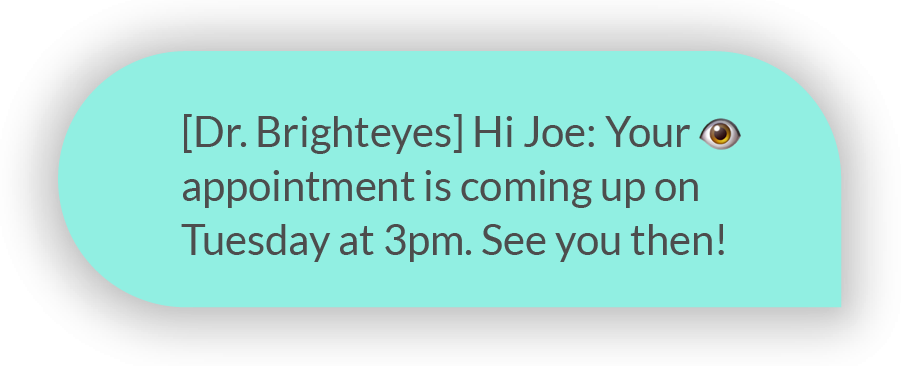
ASCII vs. Unicode Characters
SMS Character Limits: ASCII vs. Unicode In SMS, not all characters (letters, numbers, symbols) play by the same rules. Some allow messages to have 160 characters, others quietly cut that…

Circuit Clerk in Illinois? Read this.
SMS isn’t optional anymore. If Illinois House Bill 4428 passes, circuit clerks will be required, by law, to send text message reminders for court appearances. Not encouraged. Not suggested. Required.…

When Is It OK to Send Daily Text Messages?
Today, many business owners and marketers are aware of the power of text messaging. It's a straightforward, instantaneous way to reach customers. Between alerting them about sales and sending them…

Business SMS Software — A Complete Guide to Customer Retention
Delayed responses or limited ways for customers to reach you can quickly create friction. When people can’t get quick clarification, engagement drops and every interaction starts to feel transactional instead…
Outlook Add-in Now Available on Microsoft Marketplace
CompleteSMS Unveils new Outlook Add-In on Microsoft 365 LONG BEACH (February 24, 2026) – CompleteSMS, a leading short message service (SMS) solutions provider, is proud to announce a new add-in…

10 Bulk SMS Marketing Trends to Watch in 2026
Staying abreast of bulk SMS marketing trends is one of the most effective ways to maintain a high-performing communication strategy in 2026. As customer expectations evolve and new regulations shape…
The Best Times to Send Business Text Messages for Higher Responses
Business text messages achieve open rates of around 95%, which explains why SMS is a reliable channel for operations. That level of visibility creates an opportunity to engage your audience,…
2025 Milestones and Rebrand
CompleteSMS Announces 2025 Milestones and Official Company Rebrand LONG BEACH (January 15, 2026) – CompleteSMS, a leading short message service (SMS) solutions provider, announces a year of expansion that includes…

5 Reasons Why Text Blasts Are More Effective Than Email Blasts
Two of the most common ways to engage with customers are email and text blasts. Both of these strategies have benefits, though organizations generally see more success with SMS messages…

Universities and Colleges: Staying in Contact With Students Over Semester Break
Universities and Colleges: Staying in Contact With Students Over Semester Break Many universities and colleges know just how important it is to keep students engaged over the semester break. Beyond…
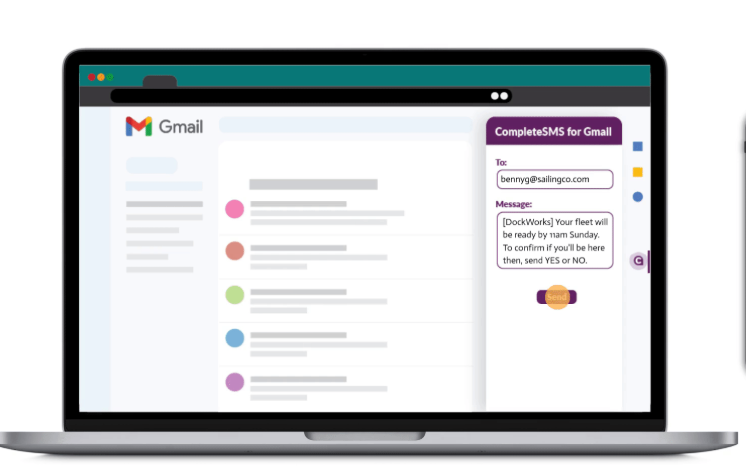
CompleteSMS for Gmail — Launched
CompleteSMS Unveils new Gmail™ Add-On on That Enables SMS Management from Customers’ Email Inbox SAN FRANCISCO (December 11, 2025) – CompleteSMS by Red Oxygen, a leading short message service (SMS)…

Quick Guide to SMS Marketing for Moving Companies
Text messaging can be a powerful asset for your moving company. For customers, SMS is a personal, quick and easy way for them to ask questions, book their move and…

Switching from Telstra IM? Here’s Why CompleteSMS Works for SMBs.
Telstra pulled the plug on their Integrated Messaging service (TIM), leaving a lot of small and midsize businesses left thinking, “Now what?” After all, SMS is how teams confirm bookings,…

Why Your Customers Will Thank You for Compliant Messaging
Imagine your phone pings with a text from your hairdresser reminding you of your cut and color after work. Later that afternoon, another text pops up letting you know they…

SMS Frequency Best Practices: Are You Texting Your Customers Too Often?
As SMS campaigns have an impressively high open rate of 98%, texting is one of the most effective tools for marketing. However, over-texting could be doing more harm than good. Learn…

Increase News Readership With Blast SMS Messaging
More than half of United States adults report getting news from social media, and 86% of adults report getting news from their tablet, computer or smartphone. With an increasing reliance on digital devices and…
CompleteSMS Has Arrived
At long last… it’s here. The day has arrived, it’s go time, the rubber is finally hitting the road, the wait is over, all systems go, we’re on, our…

The Ultimate Hotel and Hospitality SMS Guide
When you’re traveling, you want your experience to be as smooth and seamless as possible. Part of that involves staying aware of what to do and where to go. Short…

13 Tips for Getting Your Message Out With SMS
Text messaging is the most used data service worldwide. In the United States alone, mobile users sent about 2 trillion text messages in 2021. Emails often get lost in the abundance of messages received every…

What Is Commercial Text Messaging?
Commercial texting is on the rise, with people opening 98% of the short message service (SMS) messages they receive. Learn what commercial text messaging is and how to use it to promote your business…

Effective Business SMS Communication
To communicate with your customers, clients, employees and other stakeholders, you should contact them through the channels they use most. As SMS has an impressively high open rate, with most messages typically being read within a couple of minutes…

Guide to SMS for E-Commerce
In today's technology-driven world, most businesses use digital methods to communicate with their clients, and it's no different for e-commerce companies. Since online companies rely heavily on software to manage…

Child Care: How to Provide Worry-Free Communication to Parents With SMS
Parents are a lot more likely to experience significant levels of stress compared to adults who don't have children. This can involve worrying about a child's developmental progress, health and well-being, and…

Quick Guide to SMS Marketing for Salons and Spas
If you're the owner or manager of a spa or salon, integrating SMS into your marketing and communications efforts can be a real game-changer. Due to the personal and direct…

Average Screen Time Statistics and How You Can Use Them to Improve Your Marketing
The invention of the smartphone changed screen time and social media use as we know it. In what seemed like an overnight transformation, people could now access whatever they needed in the…

Unique SMS Ideas That Will Increase Revenue for Retail Businesses
Whether you own a car dealership or a clothing boutique, taking advantage of the immediacy of SMS can help you boost traffic, strengthen existing customer relationships, foster new ones and…

Utilize the Smartwatch Boom to Increase Your Customer Engagement
SMS messaging can help you reach your customers and feel confident they’re reading your messages. The rise in popularity of smartwatches creates another opportunity for your business—more than 402 million of these devices are…

AI and SMS Compliance
A2P (application to person) SMS regulations have recently had an onslaught of changes coming in rapid succession, making compliance an uphill battle for companies that think they can do this without implementing…

Lights Out For Email-to-Text
It’s happening, it’s really happening. Carriers are on their way to discontinuing text-to-email services. AT&T announced that on June 17, 2025, they will stop servicing text messages sent via their…

How to Keep Your SMS Messages From Being Blocked
Using short message service (SMS) as a tool for your business to share time-sensitive updates and alerts, to people who have consented to receive such notifications, is continuing to grow increasing popular. Because of its higher success…

Problem With Using Personal Phone Numbers for Business Texting
Using your personal phone for business texting might seem convenient, as it's one of the main communication channels for customers and employees alike. However, you might run into a few…

10 Simple SMS Rules to Ensure You’re Compliant
Research shows that SMS campaigns have an average open rate of 98%. This makes business text messaging one of the most effective marketing tools. However, before you can start crafting messages to send…

Ways SMS Allows Business to Reach Gen Z
According to data from 2021, Millennials were one of the largest generational groups in the Australian population, holding a share of 21.5%. In 2023, more than half of the U.S. population consisted of Millennials and…

Sending Links in Your SMS Without Being Blocked
Sending texts is an effective way for businesses and organizations to contact their audiences. Depending on your company, you may use short message service (SMS) messaging to send order confirmations,…

Registering Your Sender ID in Australia
Updated May 2026 In 2022, Australians were victimized by SMS scams to the tune of $6.5 million, a 188% increase from the previous year. Luckily, the country's governing bodies and mobile operators decided to put their foot down…

7 Useful SMS Ideas That Will Improve Your Golfers’ Experience
As a golf course or country club manager, you understand your golfers’ desires to a “tee.” Primarily, they want to spend as much time on the green as possible. To…

Spam SMS vs. Bulk SMS
Spam SMS messages are often sent in bulk SMS sends, but not all bulk SMS sends are spam. Spam refers to texts that violate any current and prevailing regulations and guidelines, namely consent. Also known as text blasts…

Best Way to Communicate With Millennials? SMS!
Businesses and marketers have been tailoring their communication tactics to connect with millennials—for good reason. Millennials are now the largest generation in America and Australia. Their spending power has also increased as they enter their…

Customer Life Cycle Messaging – Elevating Communication in Your Business
When you make a new connection with a customer, you need to keep their attention. That's where an effective customer life cycle management and marketing strategy comes in. What is…

Are Your SMS Campaigns FCC and 10DLC Compliant?
Short message service (SMS)—or text messaging—is still one of the fastest-growing forms of communication for businesses globally. Because many customers prefer using text messages over other forms of messaging, more companies…

Do Appointment Reminders Really Reduce No-Shows?
Missed appointments can be incredibly frustrating for businesses. After all, if someone misses a commitment and doesn't let you know in advance, you may not have time to fill that…

How Small Businesses Can Leverage SMS to Make a Difference
In the United States, the short message service (SMS) marketing industry is growing rapidly and is predicted to reach a value of $37.45 billion by 2031. Given this communication channel's widespread…

Increasing Black Friday and Cyber Monday Sales Using SMS
The holidays are important to all types of businesses due to the rise in gift shopping. Many companies use this time to introduce seasonal deals to encourage more sales. While…

What will I need to provide for 10dlc registration?
Getting prepped to fill out your 10dlc campaign registration form. Don't let this registration drag you down, in general you’ll know most of the answers like the back of your…

Common SMS Terms
In today’s fast-paced business landscape, SMS (Short Message Service) has emerged as a powerful tool for communication and customer engagement. Here is a comprehensive list of common terms and abbreviations…

How to Establish a Strong Compliance Communication Strategy
Companies often need to abide by many regulations, rules and laws. Communicating this information with your team is crucial for business and employee success. An effective communication compliance strategy empowers…

25 Text Abbreviations for Business
Do you often turn the corner to find your co-worker is MIA even though they said they'd BRB? Do you feel like you're AAK after a busy weekend? Do you…

4 Ways Internal SMS Can Improve Employee Communication
You’re ready to move to the next stage in a big collaborative project for your department, but you’re still waiting on a response to the email you sent your coworkers…

How SMS Can Improve Customer Retention
Customers can disengage from your brand for a variety of reasons, from having a bad experience to losing interest in your offerings. Is it possible to win these customers back?…

Keeping Union Members in the Loop With SMS
Leading or managing a union requires you to maximize your time and resources. And, in the spirit of cooperation and partnership you must have a comprehensive communication strategy to ensure…

How Jewelers Can Benefit From SMS
Customer communication preferences are constantly changing, which means your business's marketing tactics should always be one step ahead. The competition in the jewelry industry is heating up—the global jewelry market…

Using Text to Make Residence Life Communication Easier
Most college students are "traditional" students—recent high school graduates between 18 and 24 years old. These students typically carry their phones everywhere they go. So, it's only natural that texting is…

Ways to Engage Fans at Sporting Events With SMS
In-game experiences and entertainment have come a long way, but one thing remains constant—fans are the lifeblood of any team. Fan engagement creates a community and significantly contributes to a…

How to Start Automating Text Messages for Your Business
Short message service texting is one of the most popular communication channels in business. But manually typing individual texts to specific people — or even copying and pasting prewritten messages…

Types of Messages To Send Using an API Integration
An application programming interface can open multiple possibilities for your business to harness even more uses for your software systems. This guide explains how to use API integrations to maximize…

Improve Employee Experience With SMS
Whether your team works virtually from around the world or in one office, ensuring your employees are satisfied and comfortable is a top priority. Engaged employees are more likely to…

SMS API Integrations to Boost Patient Experience
Positive patient experiences are integral to the success and reputation of your medical practice. With the help of an application programming interface (API), you can leverage short message service (SMS)…

How to Create Text Reminders That People Remember
Whether you've ever waited fruitlessly for a customer who turns out to be a no-show or you've missed a deadline to get an exclusive discount, you understand how beneficial reminder…

How Fleet Managers Use SMS API Integrations
Fleet management is fast-paced and involves many moving parts. Managers must communicate effectively and coordinate with drivers to keep operations running smoothly. With so many responsibilities, leaders need tools that…

A2P vs. P2P: Main Differences and Considerations
Effective communication is integral to business success. Your company can leverage short message service (SMS) messages to connect with customers, employees, vendors and other stakeholders. SMS is engaging, efficient and…

SaaS Pulse Show Interview
Micheal Bertoni Of the SaaS Pulse Show and owner of SaaS Talent interviews Tom Sheahan, CEO of CompleteSMS to find out how Tom knew SMS was the industry for…

Panel Discussion: Trust In Messaging
CompleteSMS CEO Tom Sheahan Joins Panel Discussion on Trust in Messaging During VON: Evolution SAN FRANCISCO (March 12, 2024) – CompleteSMS, a leading short message service (SMS) solutions provider, announces…
SMS Guide for Gyms and Fitness Centers
Short message service (SMS) solutions can transform how gyms and fitness centers coordinate with their employees and connect with gym-goers. In this guide, we are exploring how your business can…

Don’t Let SMS Regulations Hurt Your Business—Podcast Part 3
Part 3 is available—Doug Green from Telecom Reseller in conjunction with Cloud Communications Alliance interview Tom Sheahan in part 3 of a 3-part podcast series. Tom discusses who's running TCR,…

How to Get More 5-Star Reviews
We probably don't need to tell you that good online reviews are great for business—but what about the stellar reviews? A five-star review is a glowing recommendation of your product…
10dlc Regulations — Podcast Series
What You Need To Know About SMS Regulations That Can Hurt You Telecom Reseller asked Tom Sheahan to be a guest on their 3-part podcast series outlining the new SMS…
Red Oxygen Webinar—The Cost of Blocked Texts
SAN FRANCISCO (February 8, 2024) – Red Oxygen, a leading short message service (SMS) solutions provider, announces an upcoming webinar with Gaingels, an LGBTQIA+/Allies private investment syndicate and one of…

Complete Guide to SMS for Tax Preparation
Come late winter and early spring, accounting firms will see an influx of appointments with taxpayers preparing to file. Working in the accounting industry, you probably understand the stress of…
Don’t Let SMS Regulations Hurt Your Business—Podcast Part 2
Part 2 is here—Doug Green from Telecom Reseller in conjunction with Cloud Communications Alliance interview Tom Sheahan in part 2 of a 3-part podcast series why ISVs and SaaS companies…

Don’t Let SMS Regulations Hurt Your Business—Podcast Part 1
Doug Green from Telecom Reseller in conjunction with Cloud Communications Alliance interview Tom Sheahan in part 1 of a 3-part podcast series to discuss SMS regulations and how The Campaign…

How Enterprise SMS Can Increase Your Efficiency
Enterprises can use short message services to improve their daily operations, especially relating to efficiency. In today's hectic business world, time is money. Finding ways to streamline your communication with…

Red Oxygen 2023 Year End Recap
PRESS RELEASE Red Oxygen Reports Year of Growth With Emphasis on Strategic Partnerships In 2023 SAN FRANCISCO (January 2, 2024) – CompleteSMS, a leading short message service (SMS) solutions provider,…

Common Applications of Operational SMS
If your business needs to supercharge its communication efforts, operational short message service is an advantageous tool. SMS messaging is an excellent way to share relevant, timely insights with your…

Why SMS Is Great for Customer Support
Short message service (SMS), better known as text messaging, is one of the best ways for businesses to connect with their consumers. From sharing order confirmations to sending appointment reminders,…

Best Practices for Business Text Messaging
Short message service is a powerful communication vehicle that allows businesses to send and receive text messages. Whether you are coordinating schedules with your employees or sharing order confirmation details…
A Guide to Sending Text Blasts
Today, people are constantly checking their push notifications and scrolling on their phones. In 2021 alone, Americans sent and received a whopping 2 trillion text messages. Businesses are learning to…

A2P Messaging Benefits
In recent years, application-to-person messaging (A2P) has become a more widespread communication method for clients and employees. In fact, the A2P messaging market is anticipated to reach USD 78.2 billion by…

7 Benefits of a CRM and SMS Integration
Integrating your short message service (SMS) with a customer relationship management (CRM) system can help you gather customer interactions in one central place—streamlining workflows and improving the overall customer experience.…

Complete Guide to SMS for Banks
SMS for banks has been traditionally used as a convenient method for customers to perform banking-related activities, allowing financial institutions to send or receive instructions from customers. This is just one way that mobile…

Quick Guide to FCC SMS Compliance
SMS messages help you reach customers quickly and efficiently. People like getting text messages and are often more responsive to them than to other forms of communication, such as emails…

How to Use SMS to Improve Company Productivity
Business communications have changed drastically in the last decade, including how we use short message service (SMS). Whether you're communicating with employees, customers or stakeholders, SMS messaging is a great…

Why Every Restaurant Needs to Use SMS
Short message service (SMS) solutions allow your business to send and receive text messages and can be a very powerful tool for restaurants looking to stay connected with their team…
CompleteSMS Partners with Telnyx to Provide Increased Customer Connectivity Through SMS
SAN FRANCISCO (June 13, 2023) – Red Oxygen, a leading short message service (SMS) solutions provider, today announces it has joined the partner program for Telnyx, a next-gen communications platform…

How SMS Can Improve At-Home Healthcare
As the healthcare industry shifts toward more patient-centric care, immediate communication between patients and providers is becoming increasingly valuable, especially for those who require at-home healthcare services. In particular, home health…
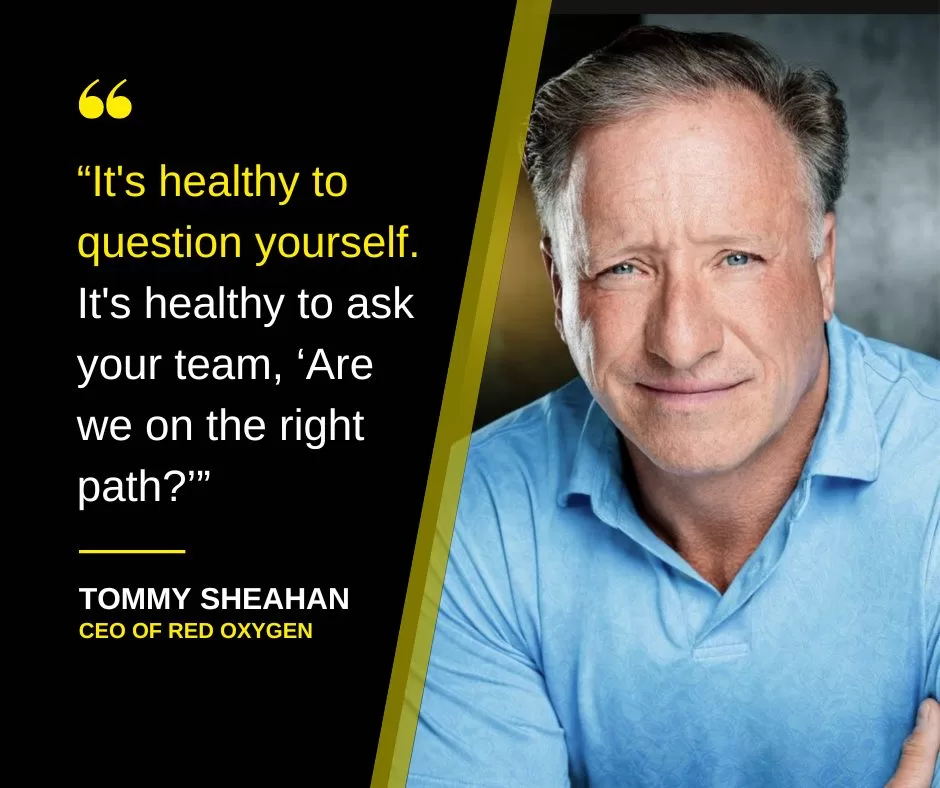
Tom Sheahan was a guest on The Dirt podcast
The Dirt podcast covers stories of entrepreneurs who have been through it all, they discuss all things business and what these entrepreneurs learned on their path to successfully scaling…
Red Oxygen Joins Australia’s Communications Alliance
SAN FRANCISCO (May 22, 2023) – Red Oxygen, a leading short message service (SMS) solutions provider, is proud to announce it has joined the Communications Alliance, an organization formed to…

Red Oxygen on neonVest’s Podcast
When you have the chance to chat with the co-founder of a VC supercharger about two of your favorite topics, SMS and funding, you do it. Tom Sheahan, our…

SMS Communication Tips for Tutors
Stay up-to-date with your students and their work through accessible communication with SMS for tutoring services. With texting being one of the most welcome form of communication, it's become a…

The Future of SMS Marketing (And How It Could Benefit Your Business)
Looking for ways to get in closer contact with your clients, staff, patients or customers? Many businesses are turning to Short Message Service (SMS) messages to send reminders and updates.…
Red Oxygen Partners with Direct Control Medical to Provide SMS Services to Medical Industry Customers
SAN FRANCISCO (March 8, 2023) – Red Oxygen, a leading short message service (SMS) solutions provider, is proud to announce a partnership with Direct CONTROL Medical, an Australian company that…

How Small Businesses Should Embrace Texting
Small businesses can get a lot of bang for their buck with text messaging... Maybe you have a marketing director, maybe you have a communications person, a customer service person…

Why You Need an MSP for SMS Billing and Compliance
Business SMS billing and compliance is complicated, an MSP can help. With recent SMS application-to-person (A2P) rules and regulations giving companies whiplash by adding fees, removing fees, changing fees…and dates,…

Tips for Higher Open Rates: Personalization
An astounding 6.38 billion people use smartphones every day, and experts predict that number will rise to 7.52 billion in the next five years. With so many people attached to…

Using SMS for 2FA Verification
When someone logs into your company's system, whether it's an online banking platform, employee resource center or electronic health records, you want to ensure they are who they claim to…

Messages to Customers in the U.S. being blocked?
As the U.S. continues to update regulations for A2P (application to person) SMS sends, other countries are experiencing the ripple effect. Are your messages getting blocked? Here's why. Yes, companies…

5 Benefits of 2-Way Business Texting
With 97% of Americans owning a cellphone, text messaging is more popular than ever. As more and more businesses find texting to be an inexpensive way to communicate efficiently and…
Red Oxygen Joins Cloud Communication Alliance to Help Solve Cloud Communication Challenges
SAN FRANCISCO (September 7, 2022) – Red Oxygen, a leading short message service (SMS) solutions provider, today announces it has joined the Cloud Communications Alliance, an executive forum for forward-thinking…

What is the 10dlc Registration Process?
What is 10dlc registration? In short: The 10dlc (10-digit long code) registration process is a way to supply the carriers with the information they need to provide your business fast…

10dlc Fees and Fines
(Updated Regularly) Most SMS providers and DCAs (direct connect aggregators) participating in the 10dlc registration process will not support any A2P messages from unregistered long-codes. Along with this new deadline,…

Group vs. Bulk Texting
Group texts and bulk text, we’ve all experienced both, but may not know how very different they are. Group texts are obvious, they contain two or more names or numbers…

It’s Not a Developer Problem
So, what's the problem? Due to 10dlc, when your customers send SMS, it's costing you money that you're likely not recouping. This is a business problem that effects your bottom…
Red Oxygen Joins Twilio’s Build Program as a Technology Partner
SAN FRANCISCO (June 15, 2022) – Red Oxygen, a leading short message service (SMS) solutions provider, today announces it has been accepted into the Twilio (NYSE: TWLO) Build program as…

How NOT to Send SMS Messages
As you're crafting your SMS marketing strategy, you want to avoid some approaches that could cause legal complications or decrease audience engagement. From the 2003 Australia Spam Act to recent 10dlc U.S. carrier regulations,…

4 Summer SMS Tips
As the warmer days for vacations, family get-togethers and other fun summer activities arrive, your customers are on their phones more and their desktops less. They're out exploring and spending…
Red Oxygen Partners with Residential Management Systems to Enable Easy Texting with College and University Students and Staff
SAN FRANCISCO (May 2, 2022) – Red Oxygen, a leading short message service (SMS) solutions provider, today announces a strategic partnership with Residential Management Systems (RMS). As part of the…

Partnership: Red Oxygen and RMS
We're proud to announce our formalized relationship with Mercury by RMS. Red Oxygen and RMS, Inc., a global leader in housing and Conference management have formalized our long-standing partnership that…

SMS: The Gateway to More Sales
It's the future of mass advertising. Across industries, businesses are jumping on the bandwagon and using Short Message Service (SMS) as part of their advertising campaign. SMS is efficient, attention-generating…

5 Creative SMS Ideas for Restaurants
Restaurant owners today have many ways to reach their existing customers and nurture loyalty. One of the most effective and convenient ways is using short message service (SMS)—a.k.a., text message—marketing.…

The Basics of SMS Business Marketing
Leveraging SMS as part of your marketing strategy should be simple and convenient. Your system should work seamlessly with your operations and help your company enhance client and employee communications.…
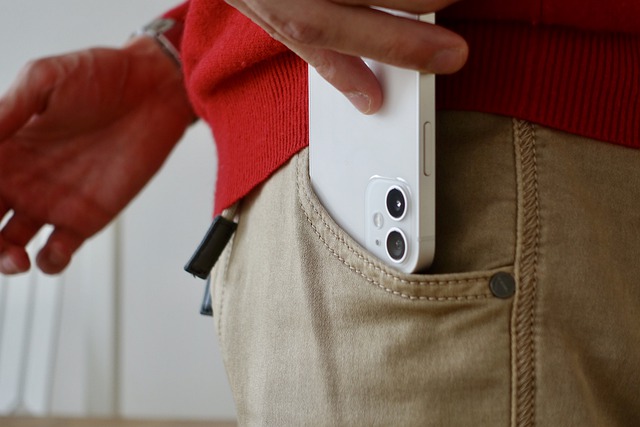
How SMS Messaging Can Improve Communication for Colleges and Universities
With a heavy Gen Z demographic, colleges and universities need tech-first strategies for staying in touch with their students. And, unlike K-12 schools, higher education facilities are often spread out,…

In SMS Marketing, Timing Is Everything
If you get a message at 3 a.m. from one of your vendors, you probably won't answer it. You want the companies you work with to respect your time, and…

10 Reasons to Use SMS Mobile Marketing
With the ever-present use of cell phones, smartphones and flip-phones alike, the rise in SMS mobile marketing was inevitable. The efficiency and effectiveness of these SMS text message marketing services and…

How SMS Can Improve the Customer Experience
Short message service has changed the way we communicate—with each other and with businesses. It can play a central role in a customer service strategy by offering a quick, convenient…
Red Oxygen Updates Gmail SMS Solution for Improved Customer Experience
SAN FRANCISCO (July 26, 2021) – Red Oxygen, a leading short message service (SMS) solutions provider, today announces it has updated its Gmail SMS solution through Google Marketplace. The new…

Don’t Let New 10dlc Requirements Stop You In Your Tracks
What is 10dlc? 10dlc is shorthand for 10-digit long code. These numbers are formatted like a standard U.S. phone number with area code, but can support higher volumes of text…

Increasing Communication Between Doctor and Patient
With many patients considering their phones a staple in their lives, healthcare providers can use SMS (short message service) to stay in contact with their patients. Also known as text…
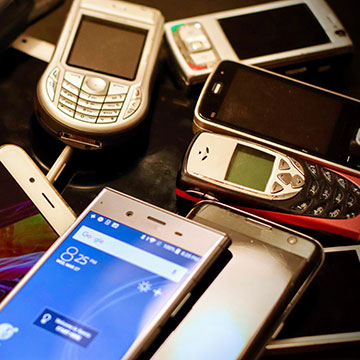
10 Reasons You Should Use SMS Text Marketing
While the world of consumer technology is frequently changing, cell phones and smartphones have stayed a constant in the past decade. You can leverage their popularity by incorporating SMS marketing…
Amy Dean
Amy Dean COO & Marketing Specialist - CompleteSMS . Amy’s been in marketing her whole career, mostly at marketing and branding firms, she joined CompleteSMS in 2020 as Marketing Director.…
Brenton Milne
Brenton Milne Consultant Guest Author . Our world would be a better place if everyone worked like Brenton! He relentlessly gathered data, meticulously measured usage and created intricate spreadsheets…
Tim Hunt
Tim Hunt CTO/Co-founder - CompleteSMS As one of the visionaries of the A2P messaging space, Tim is the technical mastermind behind CompleteSMS. He not only built the brains for CompleteSMS…
Tom Sheahan
Tom Sheahan CEO/Co-founder - CompleteSMS https://www.tommysheahan.com/ . As one of the visionaries of the A2P messaging space, Tom and CompleteSMS delivered the world’s first SMS through Outlook '97 using…